 Unmask
See what a suspicious email is really hiding.
Unmask is a free browser extension for Gmail and Outlook. It stops you before you click a phishing link, warns you right inside your inbox, and explains in plain language who really sent the email, where its links and QR codes go, and what its attachments hide.
Free and open source (MIT) · Chrome, Edge, Brave and Firefox · Gmail and Outlook on the web · Your email never leaves your browser
It stops the click
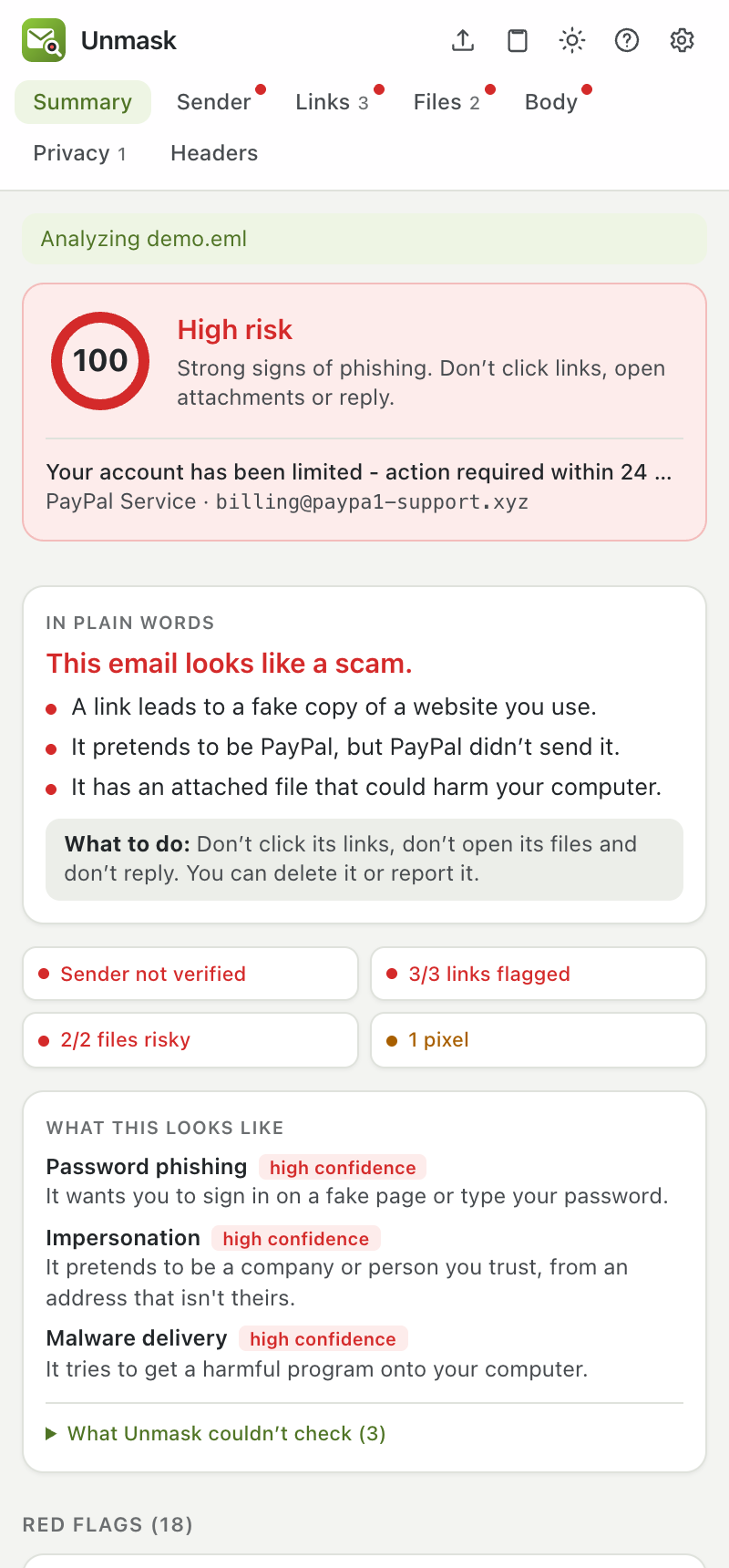
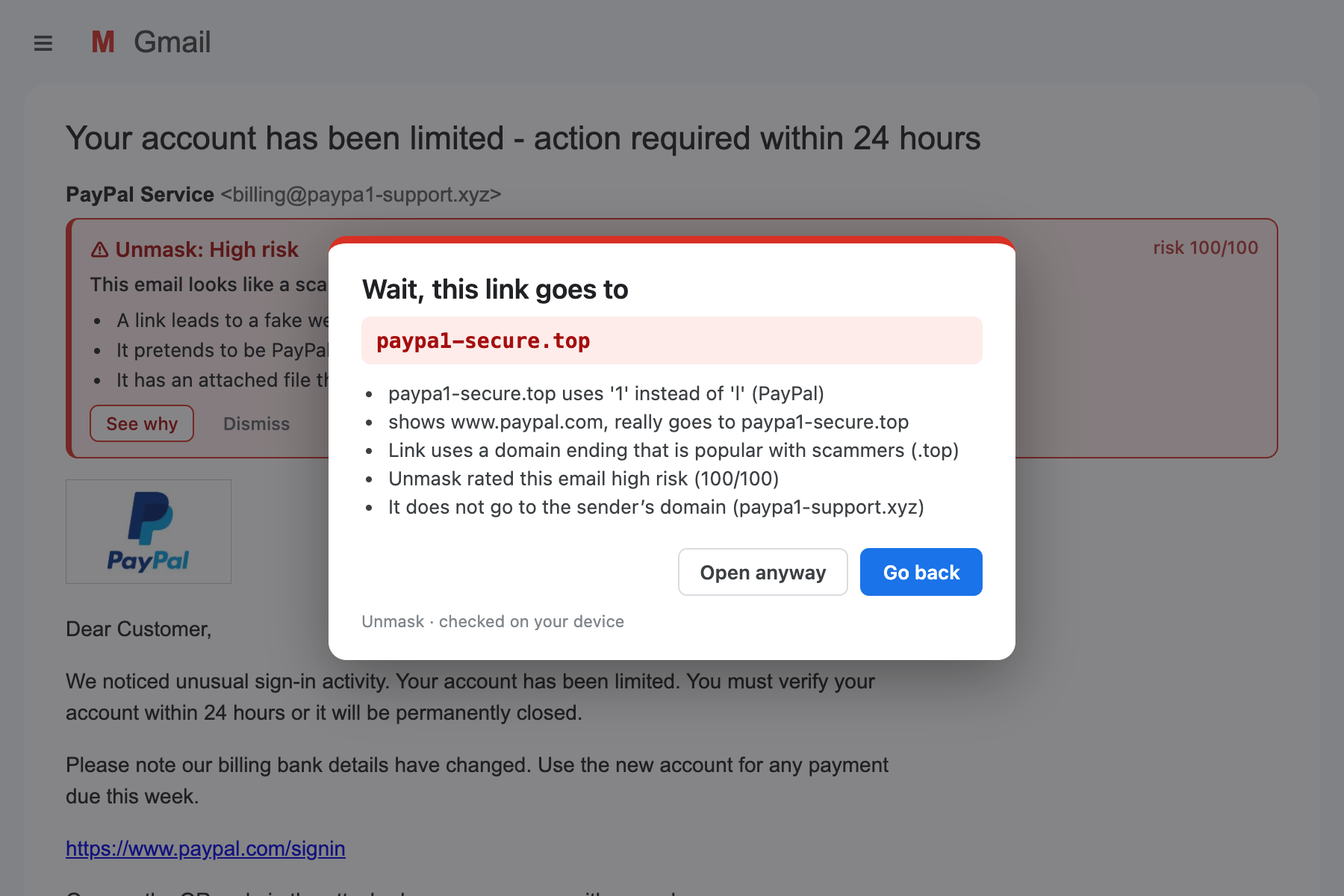
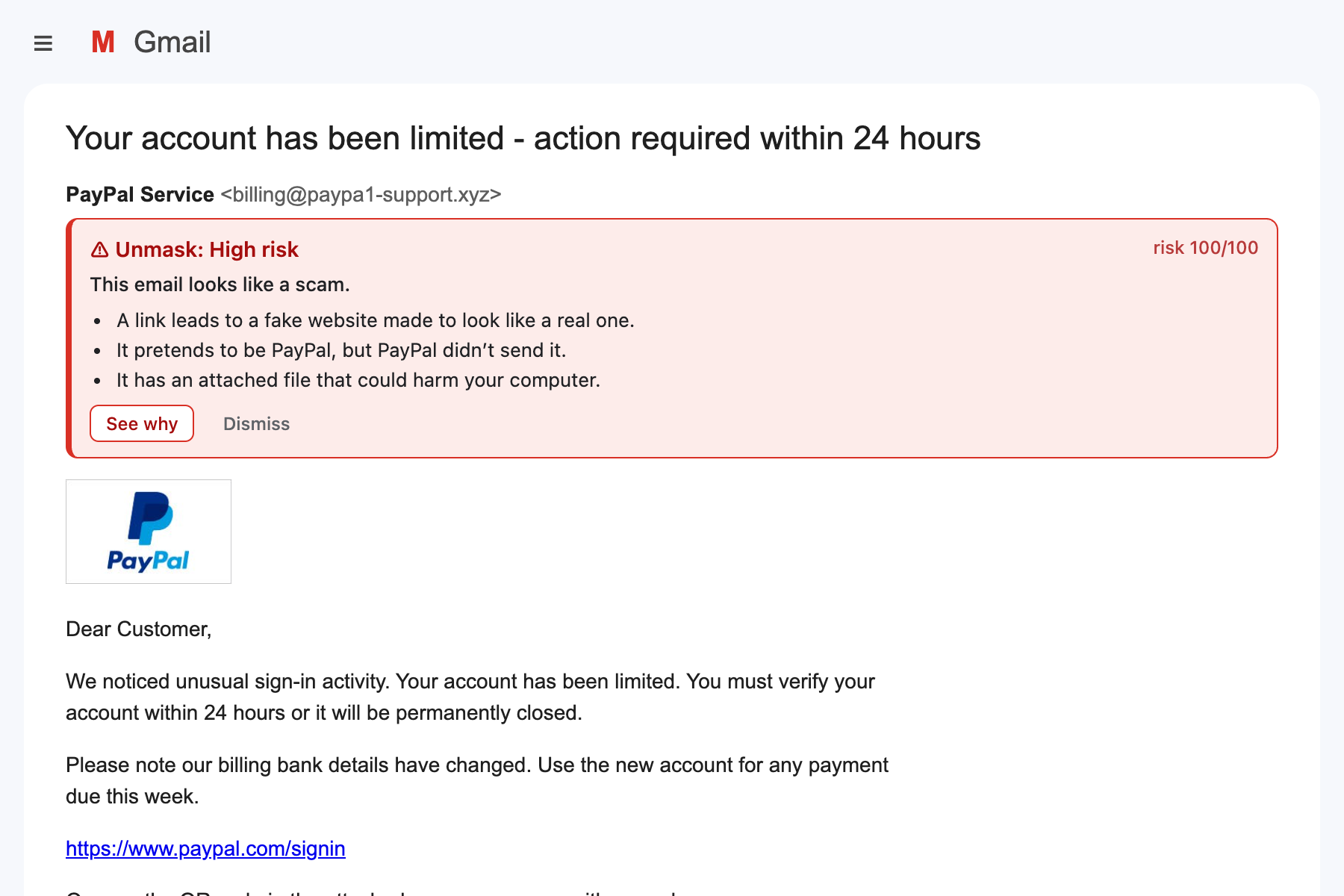
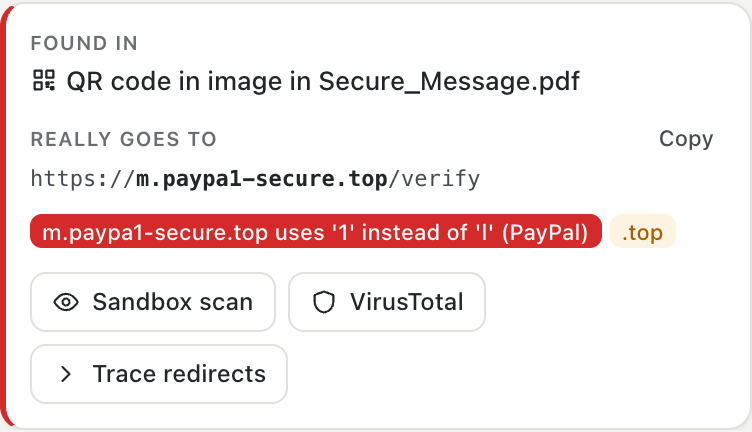
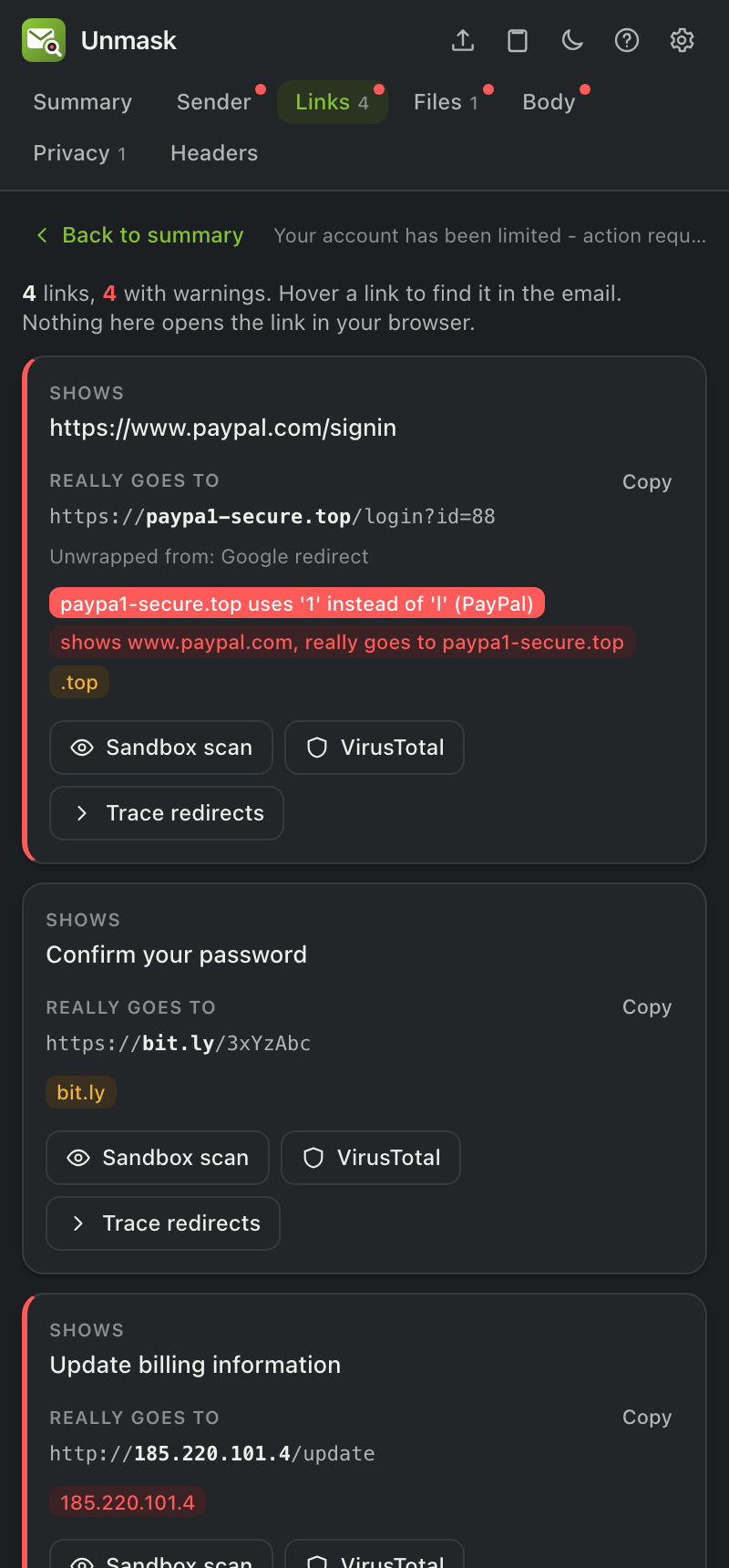
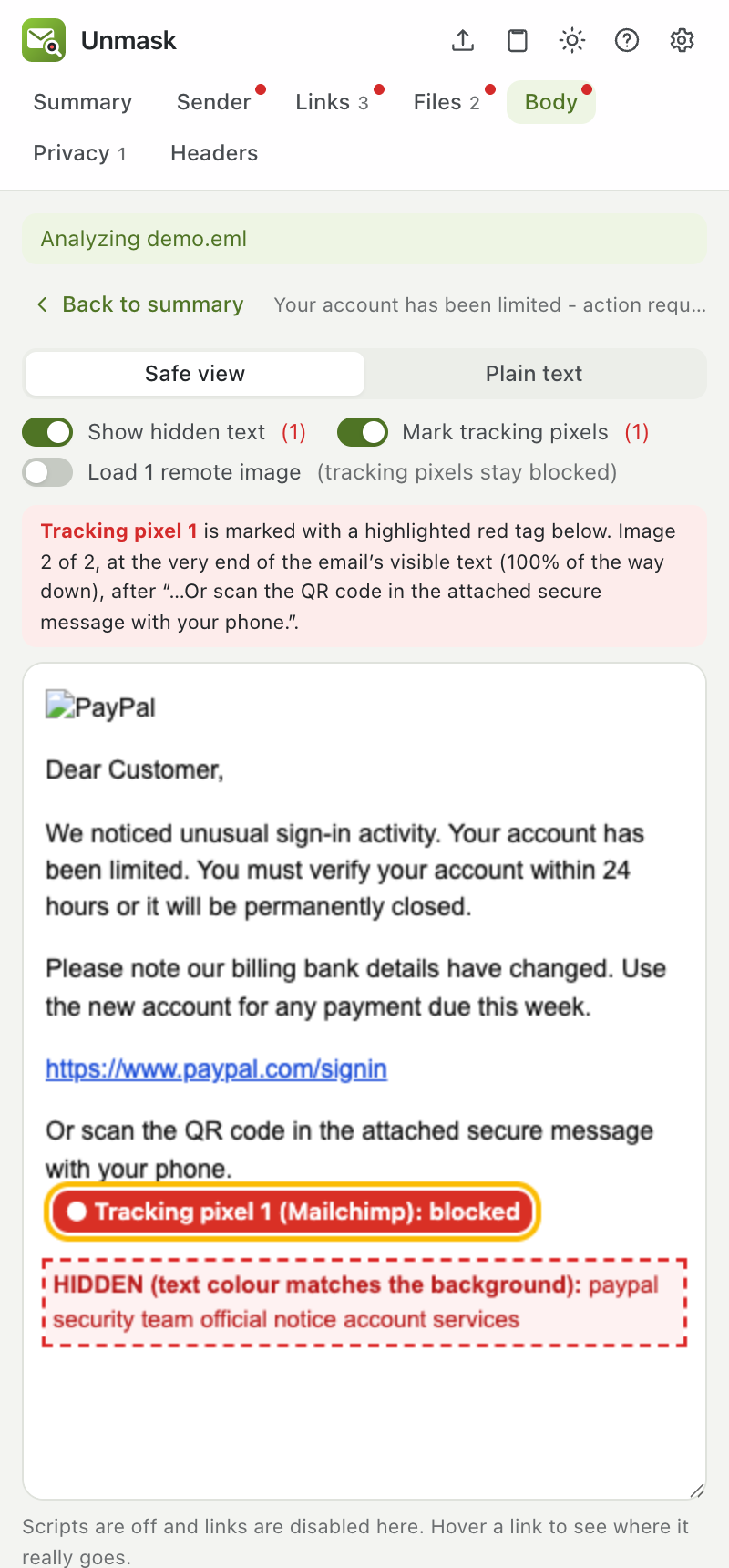
The email shows https://www.paypal.com/signin. The link really goes to paypa1-secure.top. Unmask catches it before the page opens and tells you why.
Check an email before you open it
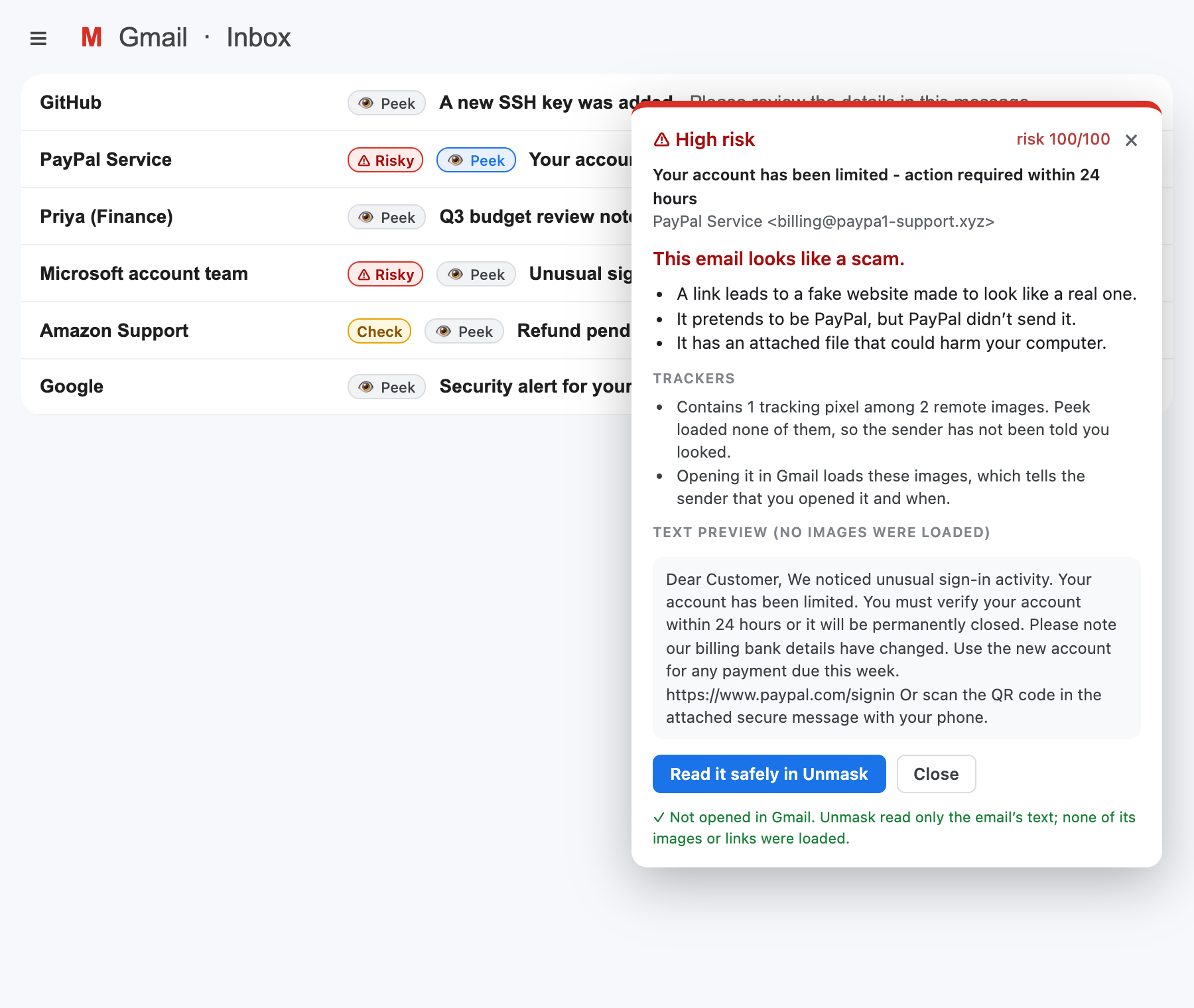
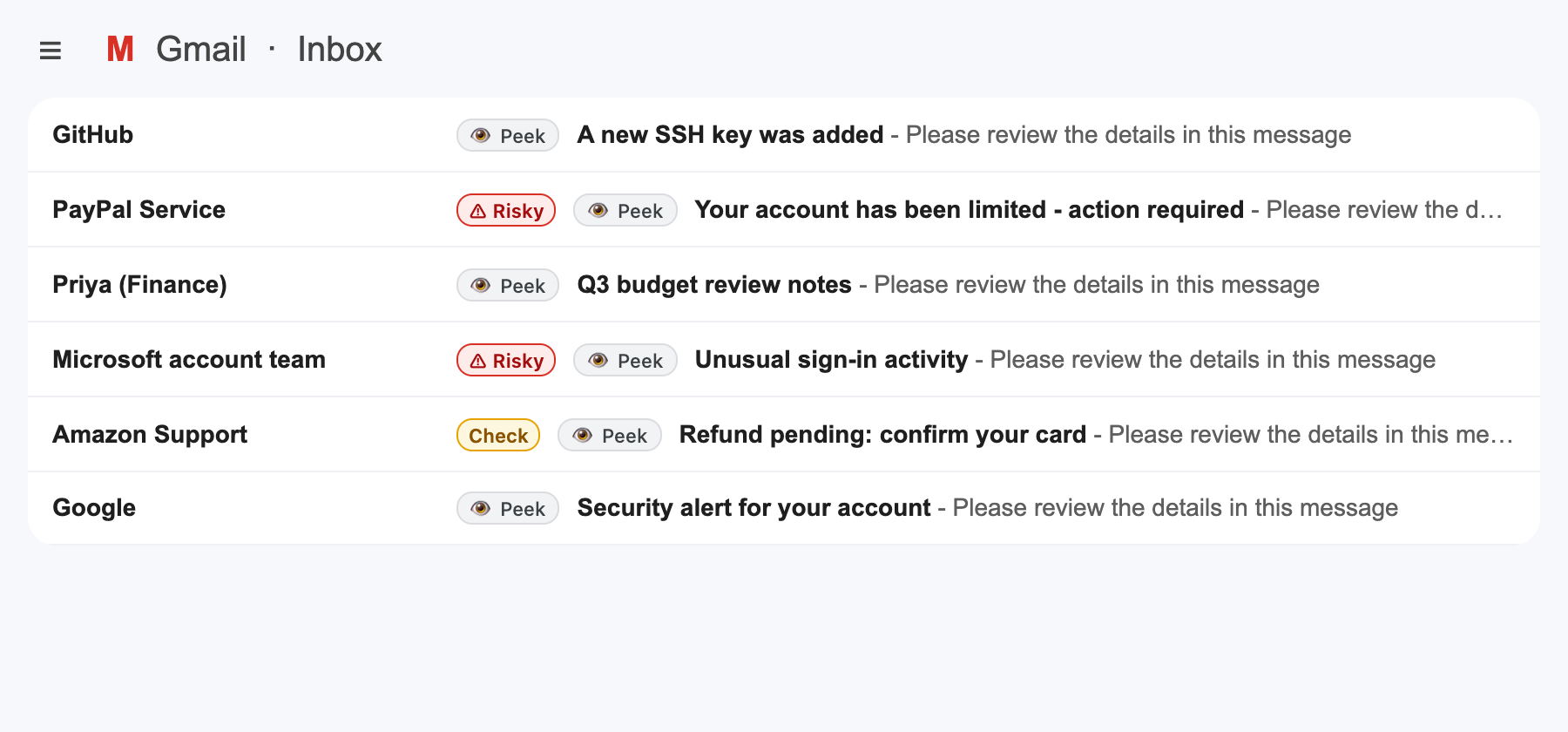
Opening an email loads its hidden tracking pixels and tells the sender you read it. Click 👁 Peek in the inbox instead: Unmask checks the email and shows a text-only preview, so nothing in it ever loads.
Warnings right inside your inbox
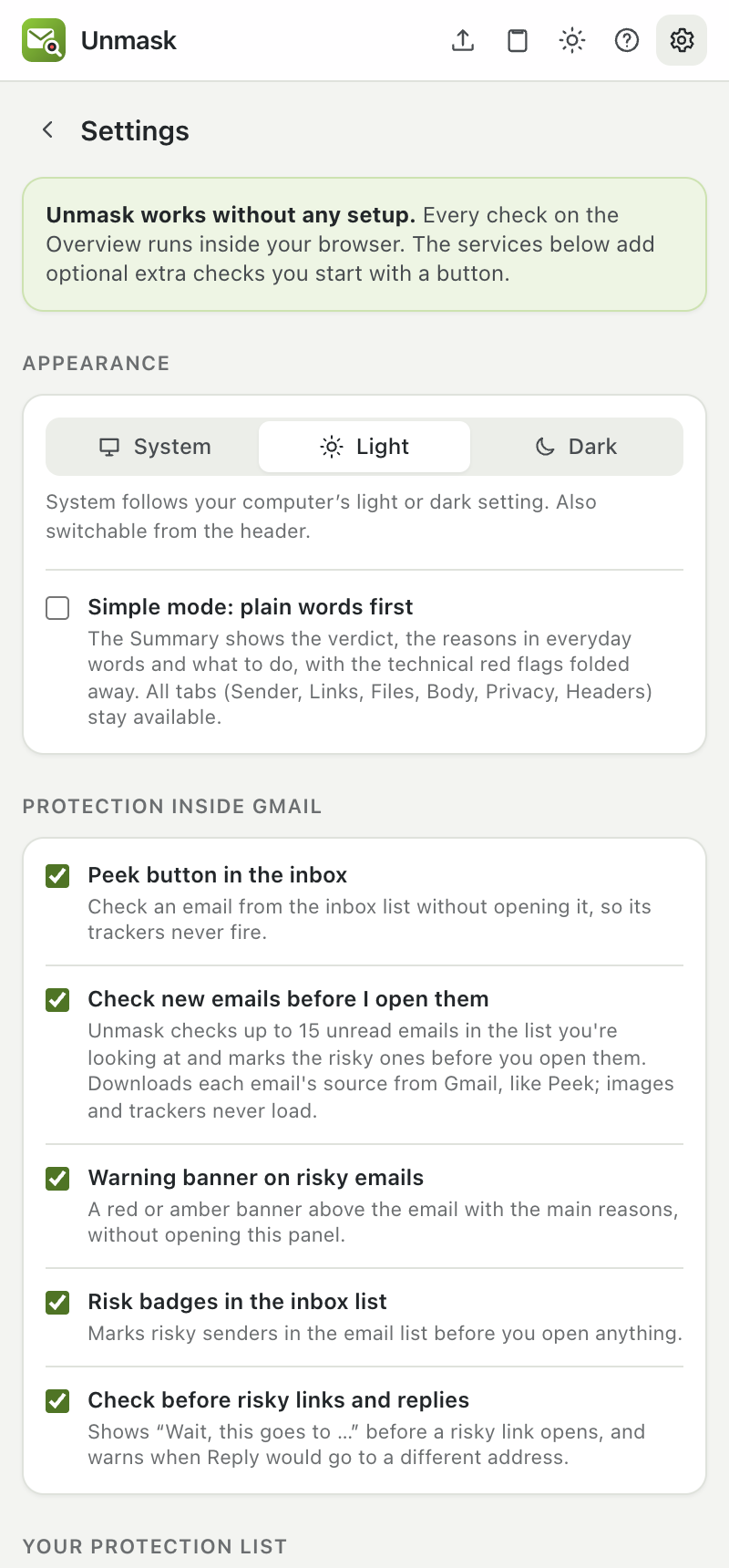
No need to open anything. Unmask checks each email as you open it and marks risky senders in the list.
Install in two minutes
Chrome, Edge and Brave: install from the Chrome Web Store in one click, or get the Firefox add-on. Chrome may say the extension is "not trusted by Enhanced Safe Browsing" while it is new; click Continue to install. Prefer to load it yourself? Follow the steps below. No programming needed.
Download
From the latest release, download the zip for your browser under Assets (unmask-chrome, unmask-edge or unmask-firefox) and unzip it. Keep the folder somewhere permanent.
Load it
Open chrome://extensions, switch on Developer mode, click Load unpacked and choose the unzipped folder (the one containing manifest.json). Firefox: about:debugging → Load Temporary Add-on.
Check an email
Reload Gmail or Outlook and open any email. Risky ones get a warning straight away; click the Unmask icon for the full report.
Stuck? Common install errors and fixes.
Everything a phishing email tries to hide
Every check runs inside your browser. The few online lookups send only a domain name or a file fingerprint, and each can be turned off.
Who really sent it
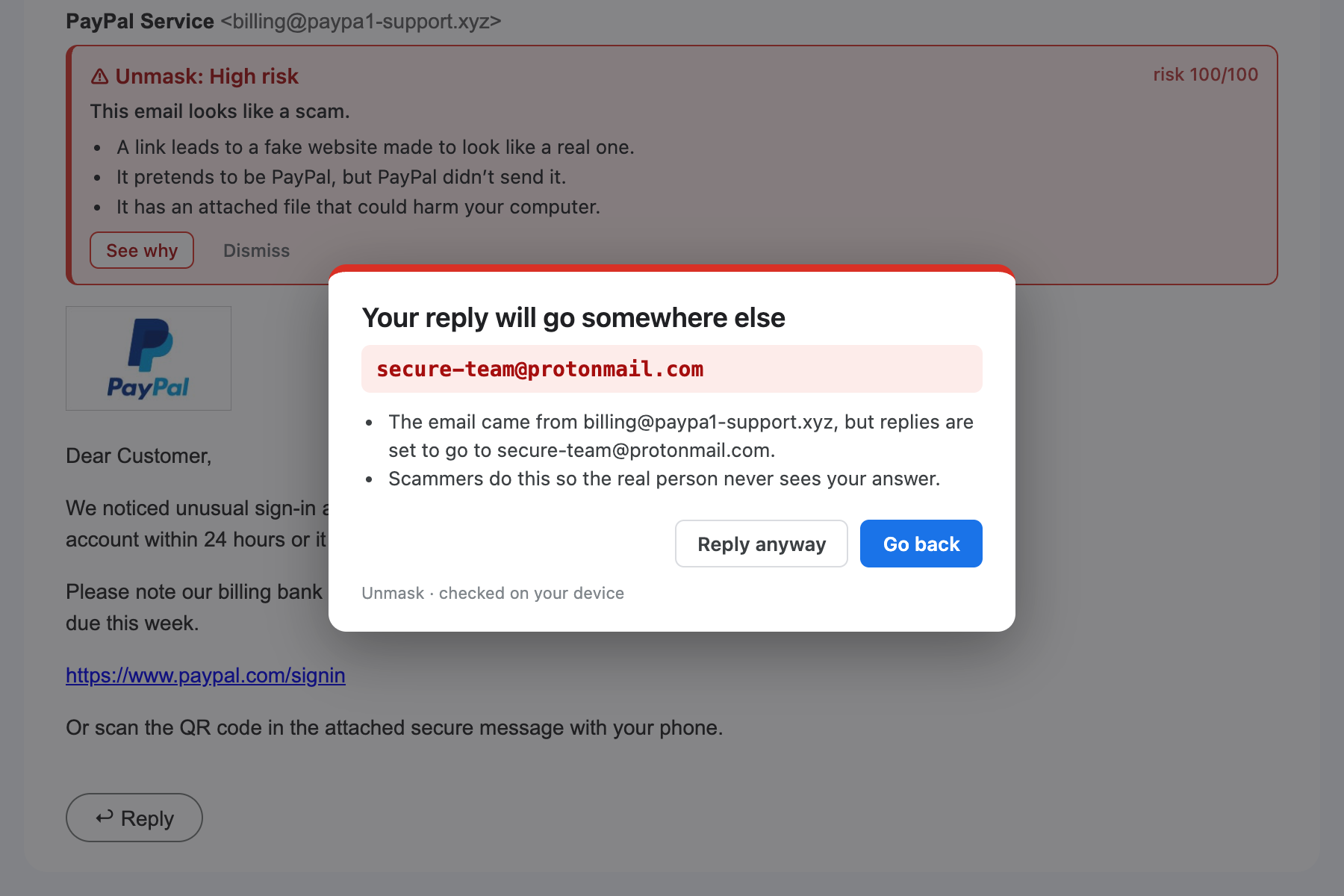
SPF, DKIM and DMARC, display names hiding another address, and look-alike domains like paypa1.com for 50+ brands, using Unicode's confusables list.
Header forensics
DKIM signatures verified by Unmask itself, emails changed after signing, fake "passed" stamps, replayed genuine emails, and the delivery path read the way an analyst does.
Attack techniques
Callback scams, real PayPal and DocuSign emails carrying a scammer's text, device-code and consent lures, ClickFix, locked ZIPs sent with their password.
Encoding tricks
Words spelt in HTML character codes, disguised link addresses, invisible characters splitting brand names, and letters from other alphabets.
Analyst write-up
What kind of attack it is, what couldn't be checked, a SOC-style case report and defanged indicators, one click each.
Where links really go
Text that shows one site but links to another, redirect wrappers removed, and one-click redirect tracing.
Point at the problem
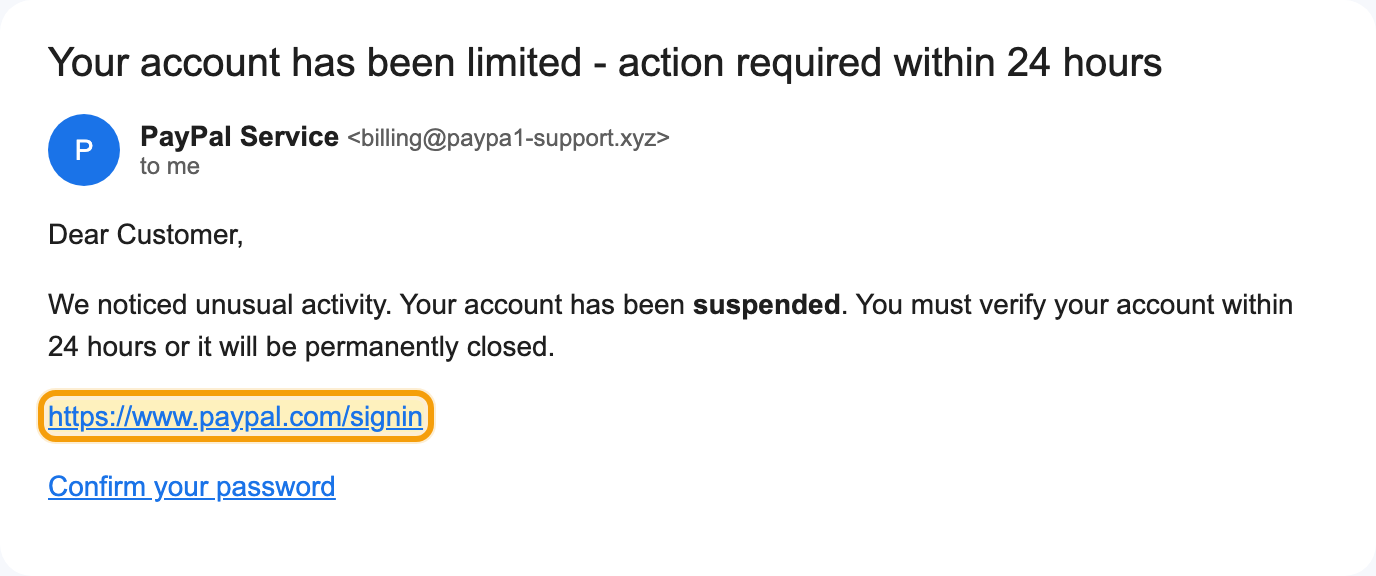
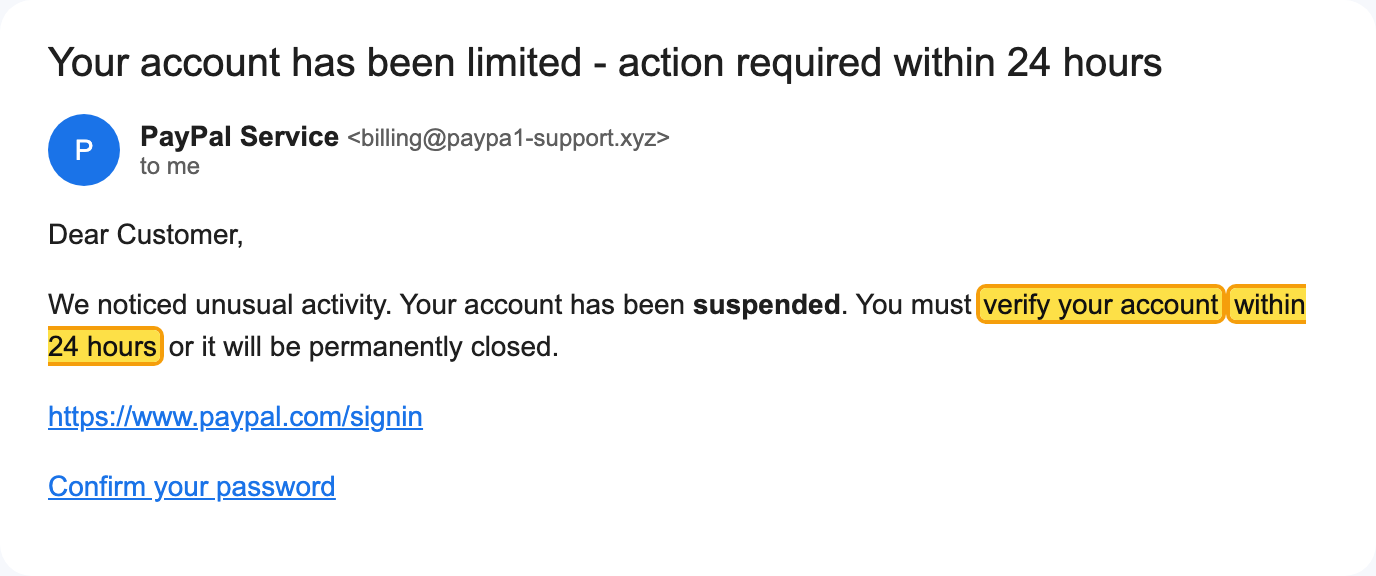
Hover a red flag and Unmask outlines the exact link, sender, attachment or phrase in the Gmail email.
Risky attachments
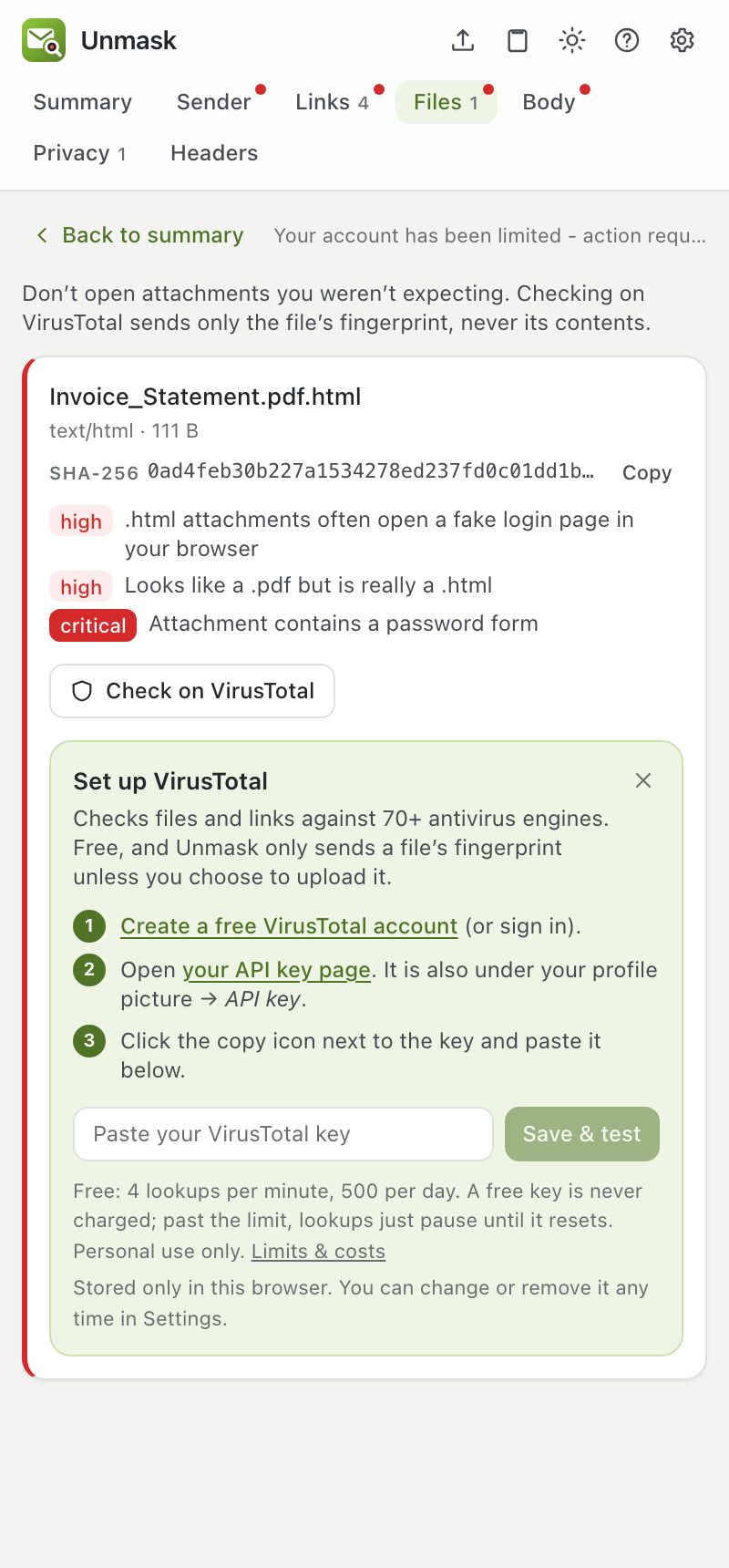
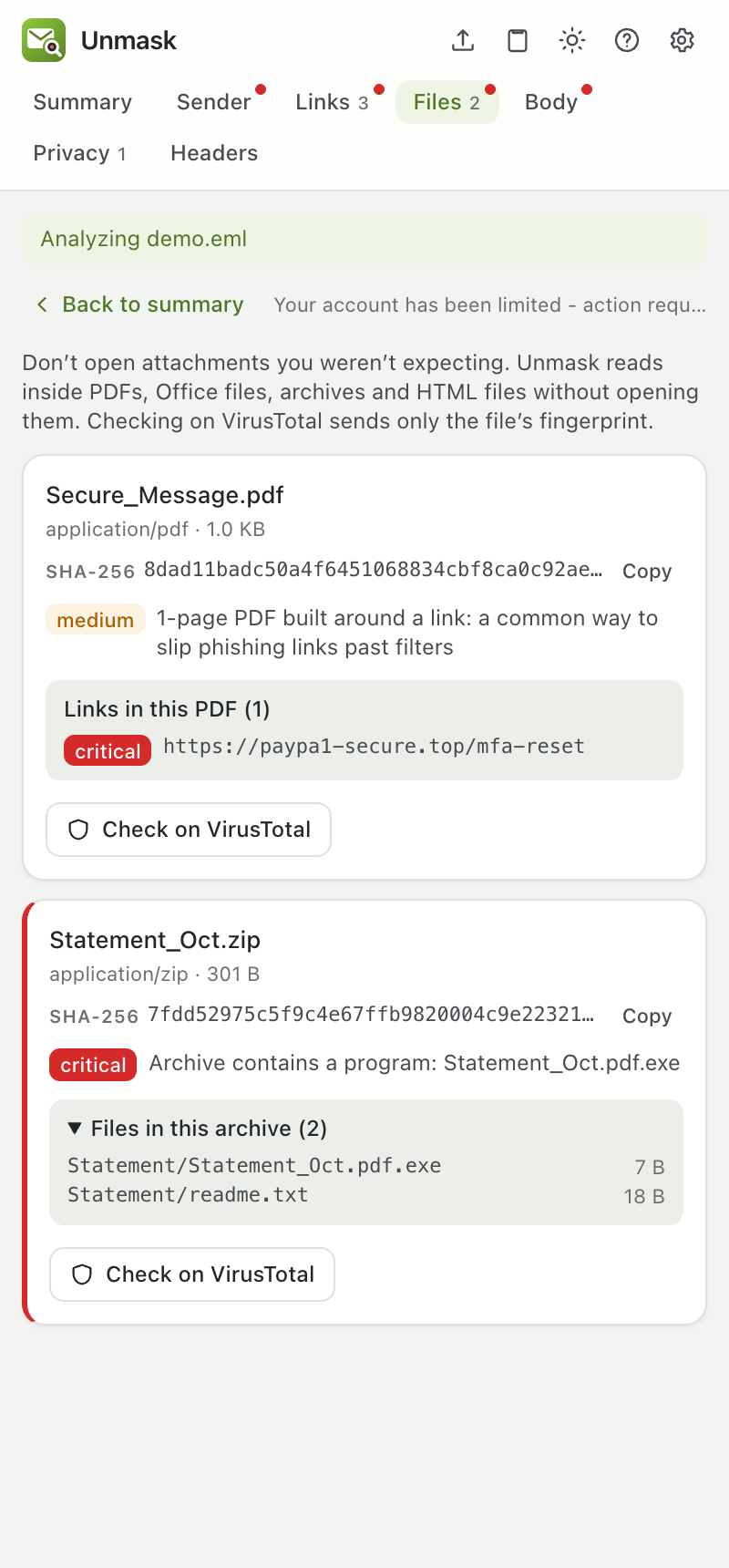
Executables, fake PDFs (Invoice.pdf.html), macro documents, encrypted ZIPs, plus a VirusTotal check.
Hidden text, safely shown
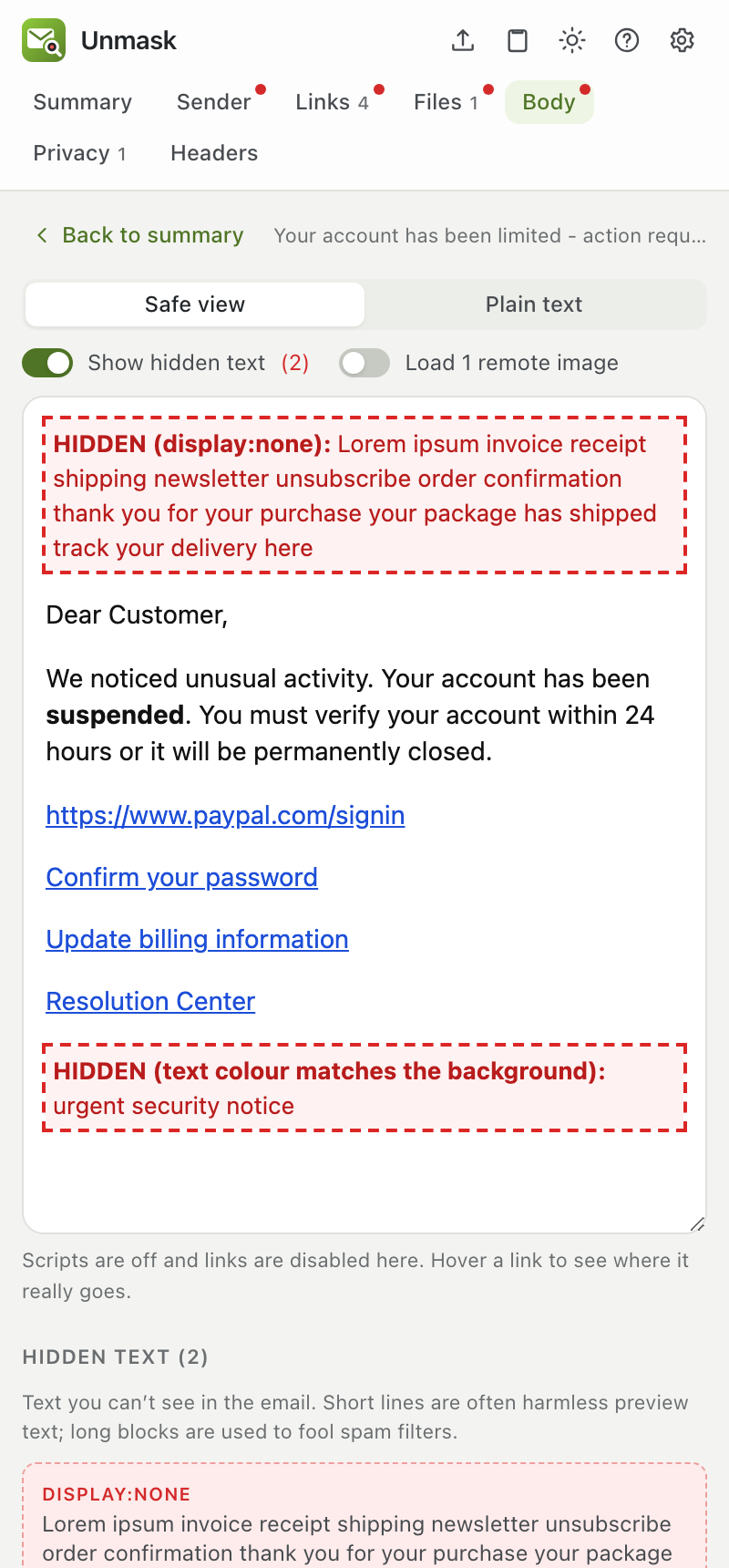
Invisible text used to fool spam filters, forms asking for passwords, and pressure phrases, in a safe view with scripts off.
Trackers
Tracking pixels and click-tracked links from about 40 services, with images blocked so senders can't tell you opened it.
Peek before opening
Check an inbox email without opening it, with a text-only preview, so trackers never learn you looked.
Plain words
"This email looks like a scam. It pretends to be PayPal." Simple mode hides everything technical.
Your protection list
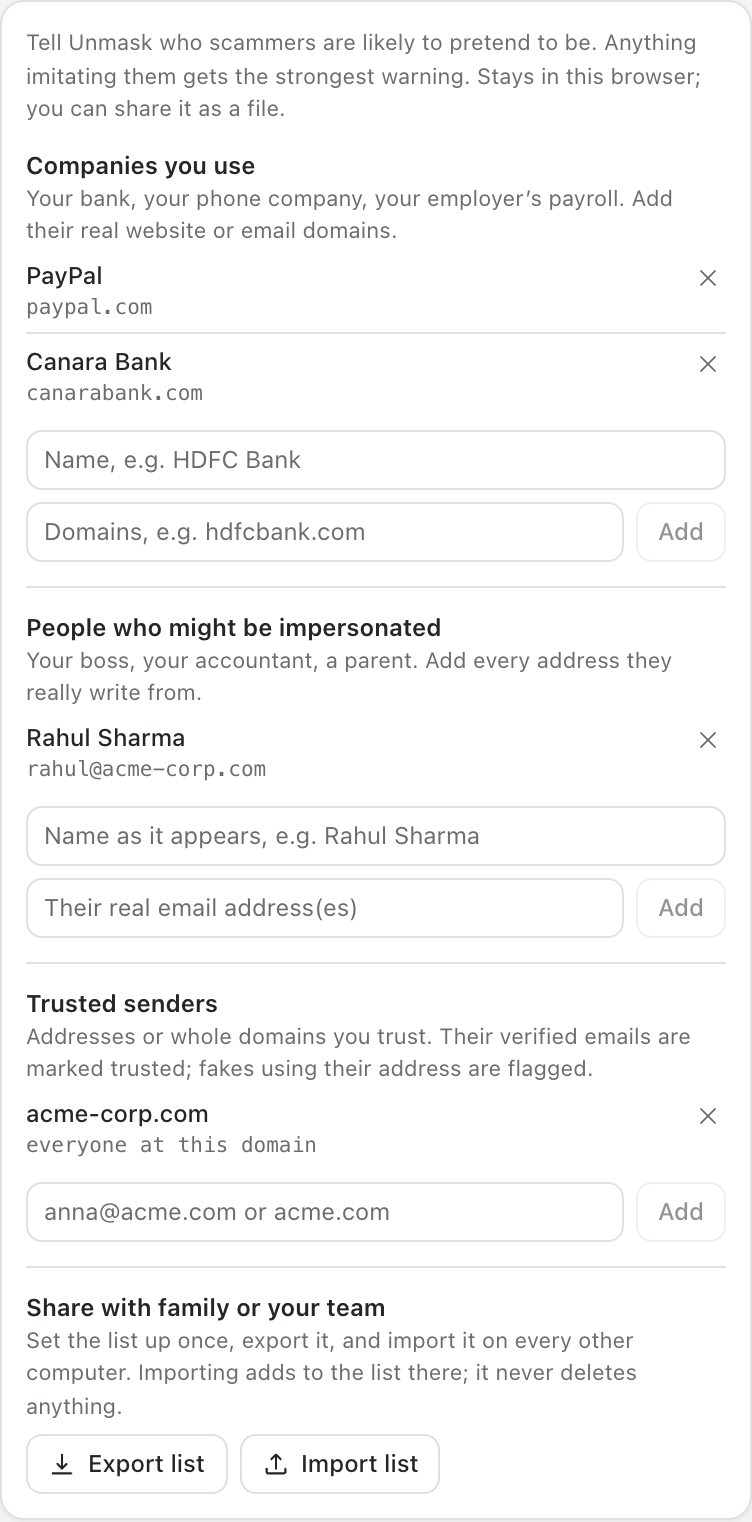
Your bank, your boss, your family: impostors get the strongest warning. Share the list as a file.
First-contact warnings
"You've never received mail from paypa1-support.xyz. Your PayPal emails usually come from paypal.com." Remembered only on your device.
QR-code phishing
QR codes in images and PDFs are decoded and their real destination checked, before you point your phone at them.
Payment fraud
Changed bank details, payment and gift-card requests, and a contact's name used from a different address.
Inside attachments
Links hidden in PDFs, macros in Office files, the file list of ZIPs, and a safe preview of HTML attachments.
Fake logos and new domains
An email showing PayPal's logo that PayPal didn't send, brand-new TLS certificates and domains without mail records.
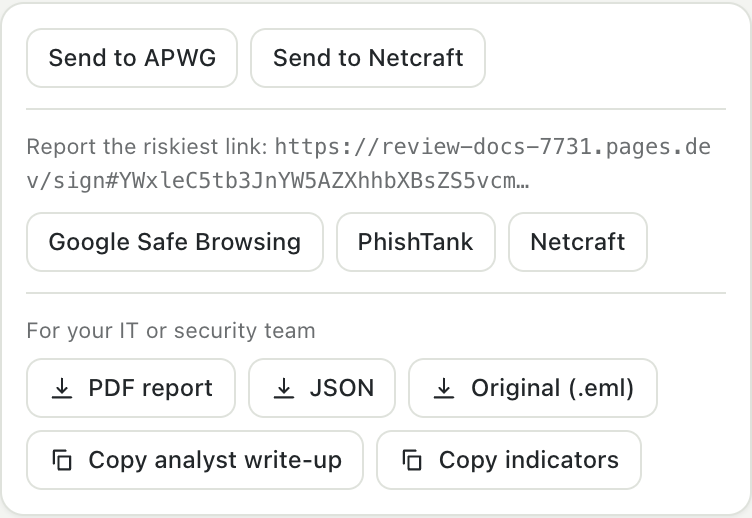
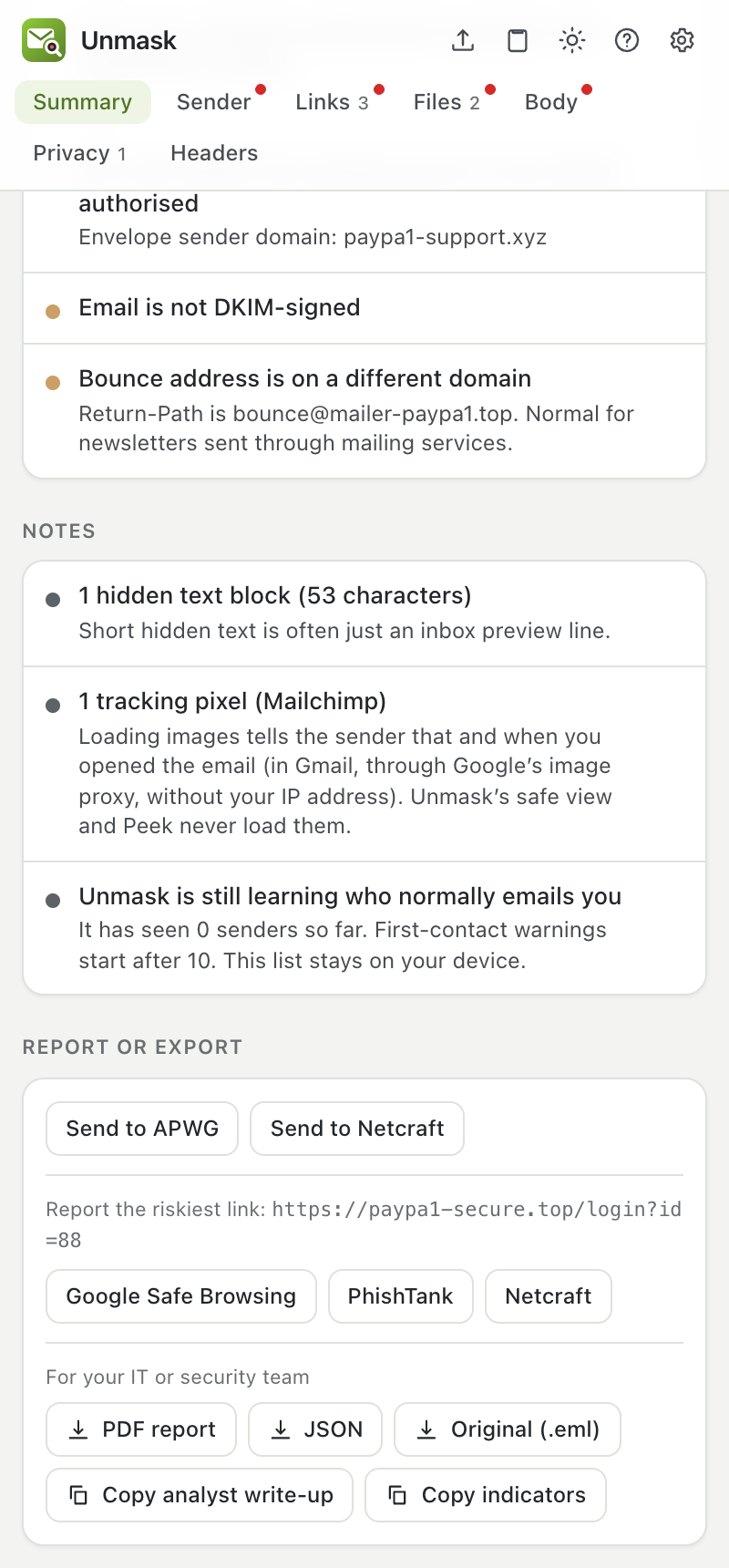
Report in one click
Gmail's Report phishing, APWG, Netcraft, Google Safe Browsing and PhishTank, plus a PDF or JSON report for your IT team.
Analysed the way a security analyst would
Unmask reads the delivery path, verifies signatures, names the kind of attack and shows where a link really lands, in a private sandbox. How Unmask analyses an email.
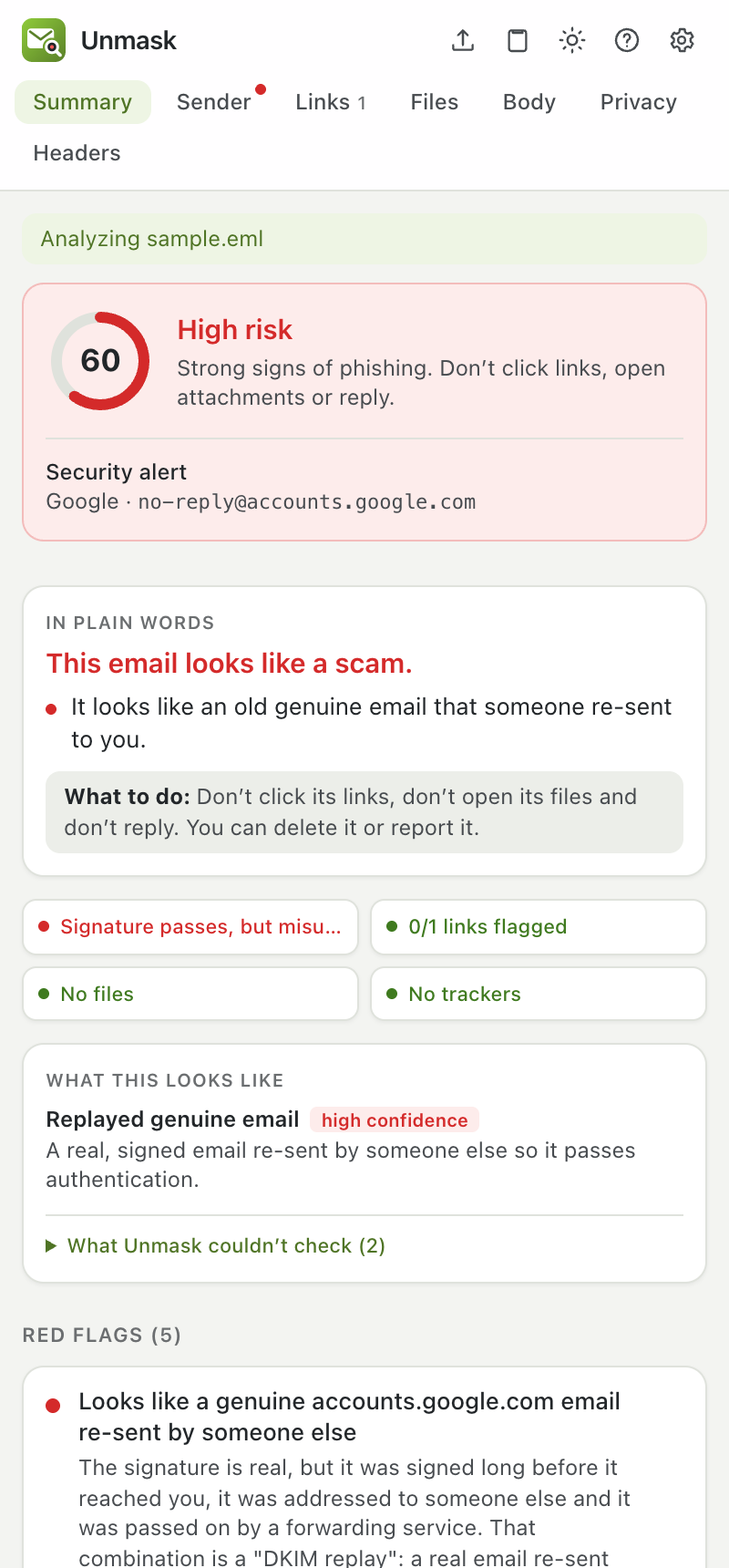
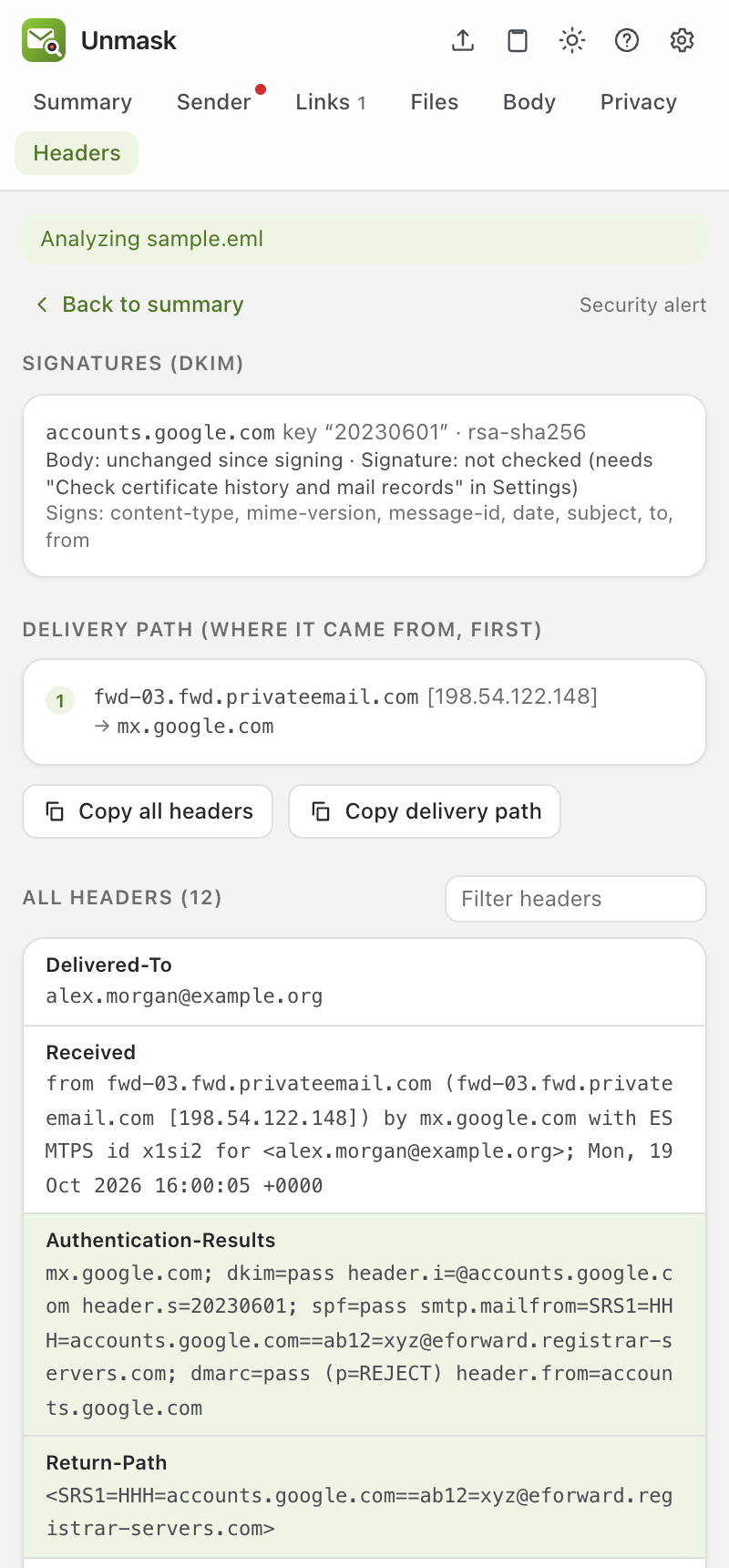
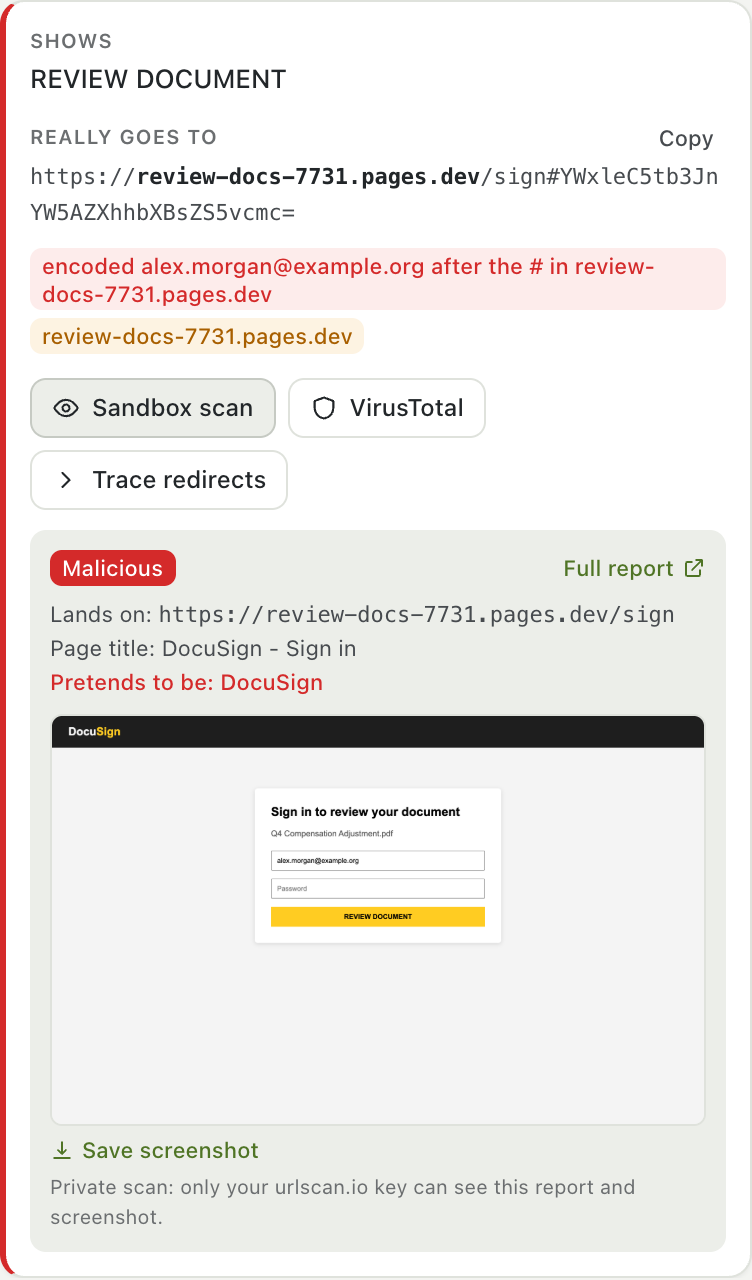
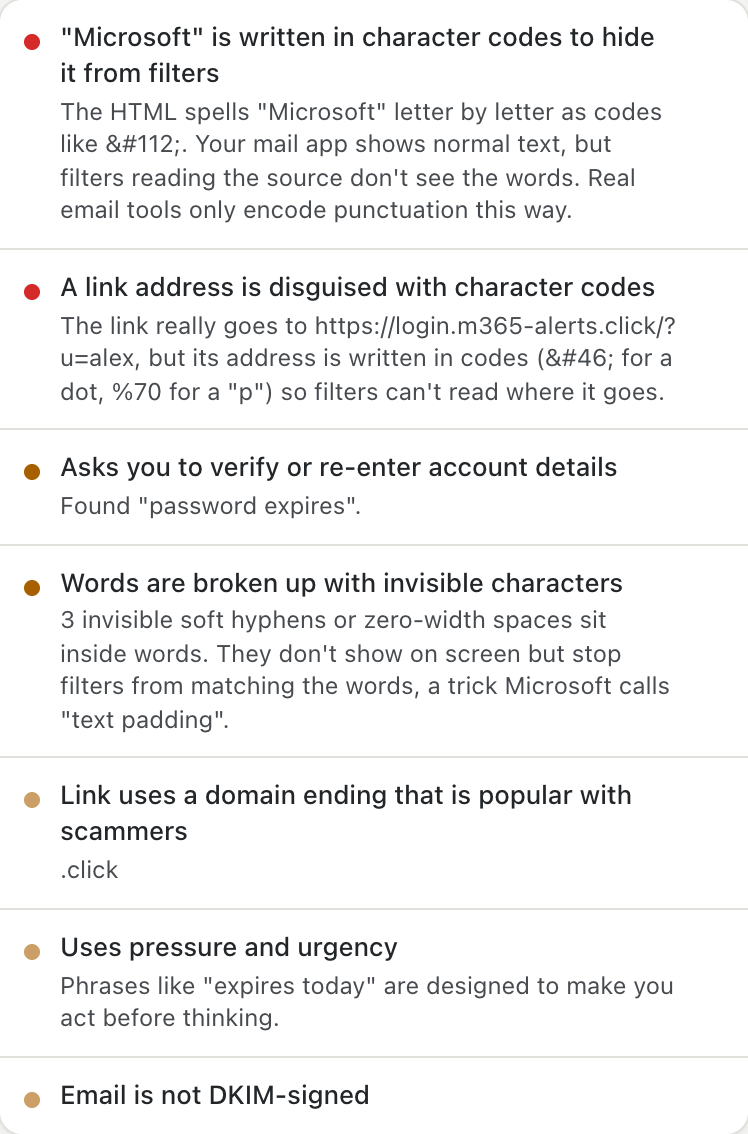
Hover a red flag, see it in the email
No more guessing which link or sentence a warning is about.
A closer look
What changed recently? See the changelog.
Private by design
Stays on your device
The email is analyzed in your browser and never sent to an Unmask server. There are no accounts and no analytics.
Online checks are opt-in
VirusTotal and urlscan.io run only when you click them, and get a link or a file's fingerprint, not the email. Sandbox scans are always private: only your key can see them.
Free, and never billed
Free keys can't be charged; going over a limit just pauses that check. Limits and costs.
Unmask never says an email is "safe". A clean result means the checks found nothing, not that nothing is there. Stay careful with links and attachments you didn't expect.